
Motion Activated Under Cabinet Lighting Sensor (PIR)
Add hands-free convenience to your kitchen with Lightkiwi's PIR motion sensor for under cabinet lighting. Simply plug it inline between the power supply and your LED panels — lights turn on instantly when motion is detected and automatically shut off after 25 seconds of inactivity.
How It Works
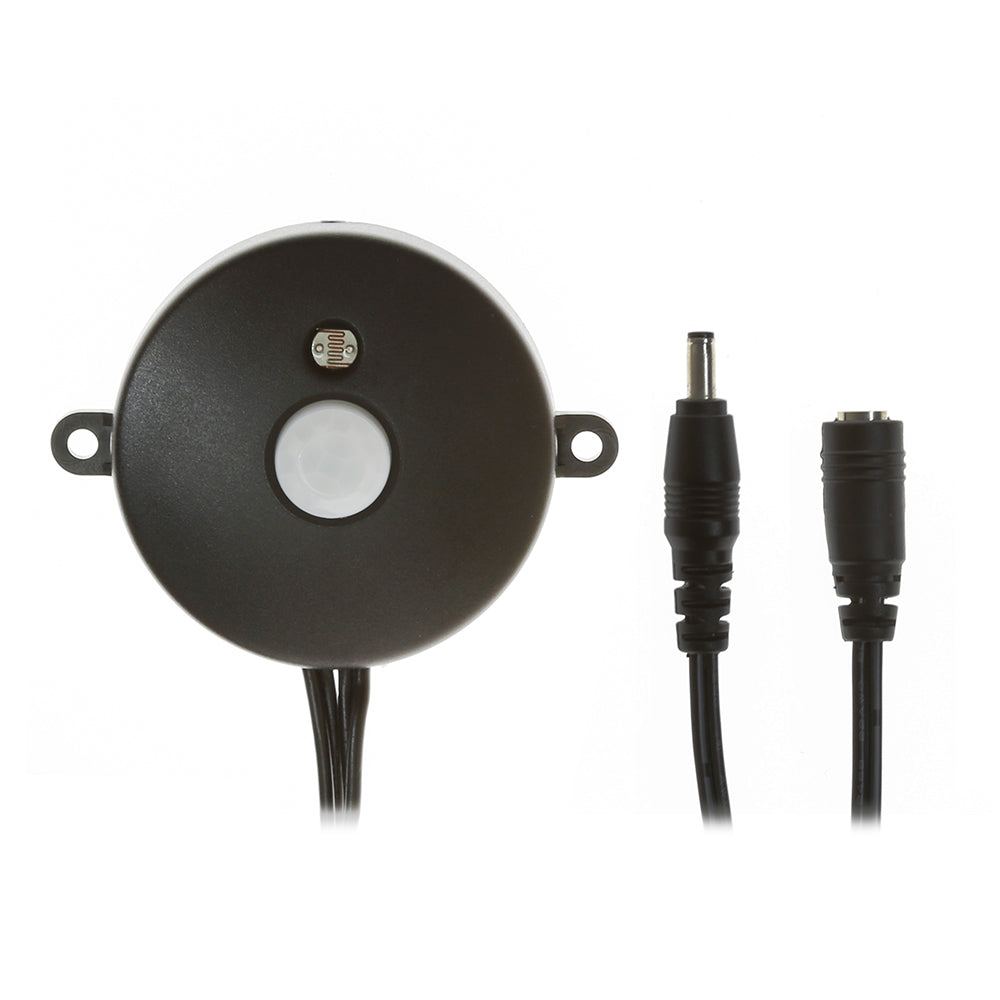
The built-in passive infrared (PIR) sensor detects body heat and movement within its detection range. When triggered, it instantly powers your connected LED under cabinet panels. A built-in light sensor (photocell) prevents the motion sensor from activating in bright daylight — so your lights won't turn on unnecessarily during the day.
Perfect For
Kitchen counters, basement work areas, pantries, closets, attics, and any dark space where hands-free lighting makes tasks easier. Ideal for areas where you frequently have your hands full and can't reach a switch.
Installation
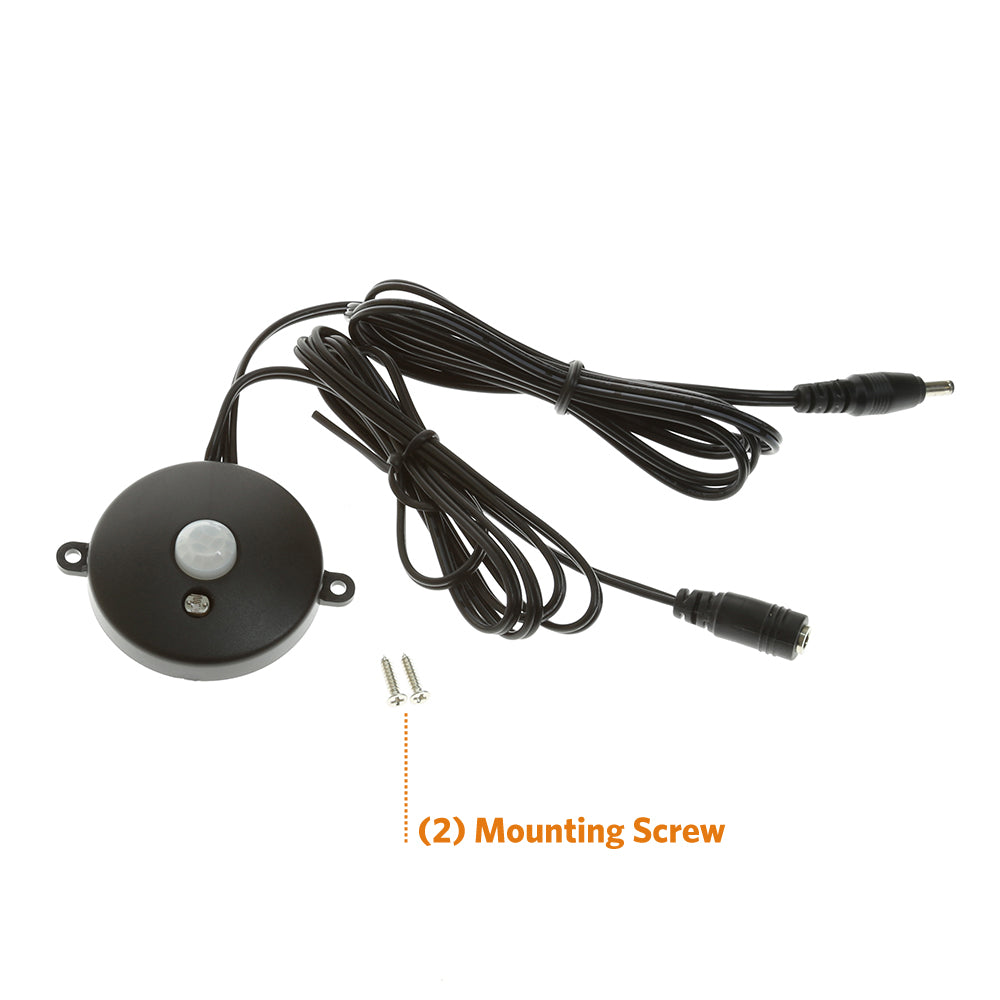
Plug-and-play installation — no wiring required. Connect the motion sensor inline between your Lightkiwi power supply and Lightkiwi modular LED panels using the included connectors. Compatible with all Lightkiwi plug-in under cabinet lighting systems.
Specifications
Auto-off timer: ~25 seconds after last motion detected
Daylight sensor: Built-in (blocks activation in bright environments)
Connector type: Compatible with Lightkiwi modular LED system
Mounting: Surface mount with included hardware
Frequently Asked Questions
Will this motion sensor work with any under cabinet lights?
This motion sensor is designed specifically for Lightkiwi's modular plug-in LED under cabinet lighting system. It uses Lightkiwi's proprietary connector and is not compatible with other brands or hardwire systems.
Can the lights stay on without motion?
The motion sensor always requires detected motion to keep the lights on. If you want the lights to stay on continuously, use a standard Lightkiwi switch or dimmer instead of the motion sensor.
Why doesn't the sensor work during the day?
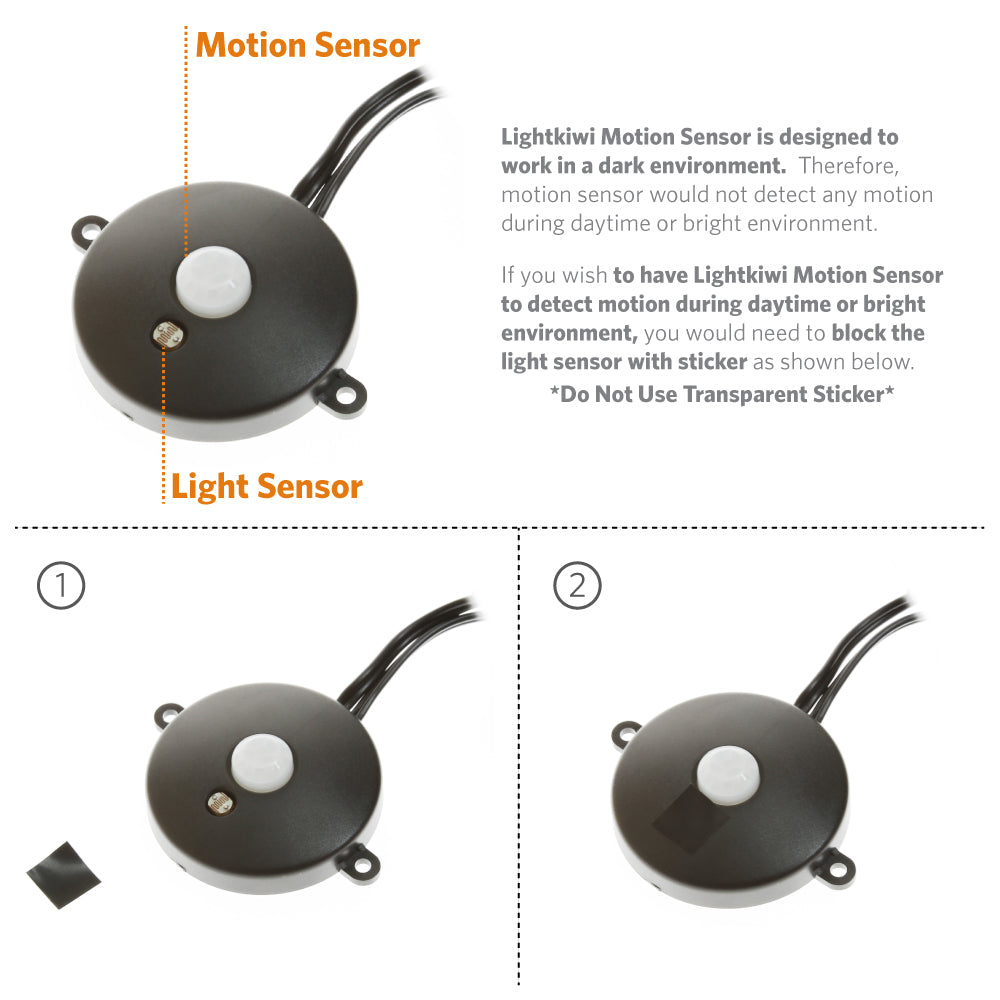
The motion sensor has a built-in light sensor that disables activation in bright environments to save energy. If you want it to work in daylight, cover the small light sensor (next to the white plastic dome) with an opaque sticker — do not use a transparent sticker.
How do I adjust the motion sensor sensitivity or timer?
The auto-off timer is fixed at approximately 25 seconds. The sensor will keep the lights on continuously as long as motion is being detected within range.
Lightkiwi Motion Sensor for Modular LED Under Cabinet Lighting is a simple to use motion sensor. Just simply connect Lightkiwi Motion Sensor between power supply and Lightkiwi Modular LED Under Cabinet Lighting to add motion sensor feature. If an object moves, the motion sensor switches the light on, and automatically turns the light off after 25 seconds (approximately). The light will stay on as long as motion is detected.
- Motion turns on lights instantly, when you can't
- Perfect for the basement, attic, or dark places.
Lightkiwi Motion Sensor is designed to work in a dark environment. Therefore, motion sensor would not detect any motion during daytime or bright environment.
If you wish to have Lightkiwi Motion Sensor to detect motion during daytime or bright environment, you would need to block the light sensor (located right next to plastic cover in the middle) with sticker.
*Do Not Use Transparent Sticker*

Combine motion sensor and dimmer switch to set the brightness with dimmer switch and control the power with motion sensor.

| Dimensions | (d) 1.89 inch / 48 mm x 0.47 inch / 12 mm |
| Input Voltage | DC12V or DC24V |
| Load Rating | 24W(12V) / 36W(24V) |
| Detection Distance | 6.56 ft / 2 meter |
| Detection Range | 120 Degree |
| Delay Time | 25 seconds |
| Length of Cables | 6.16 ft (3.08 ft Male+ 3.08 ft Female) |
| Operating Temperature | -20 Degree C to 40 Degree C - Indoors |
Note: Motion Sensor (PIR) [Item#: G3635] is designed for Lightkiwi Modular LED Under Cabinet Lighting System. If the unit is used for other products, it may not function properly.